
Client workspaces
Switch between isolated local client workspaces, with device-seat licensing and portfolio summaries across your book.
Every screenshot below is an unedited product screen from the demo Builder's fictional company, Norton & Frey Ltd. No mockups, no customer data — this is exactly what you get.
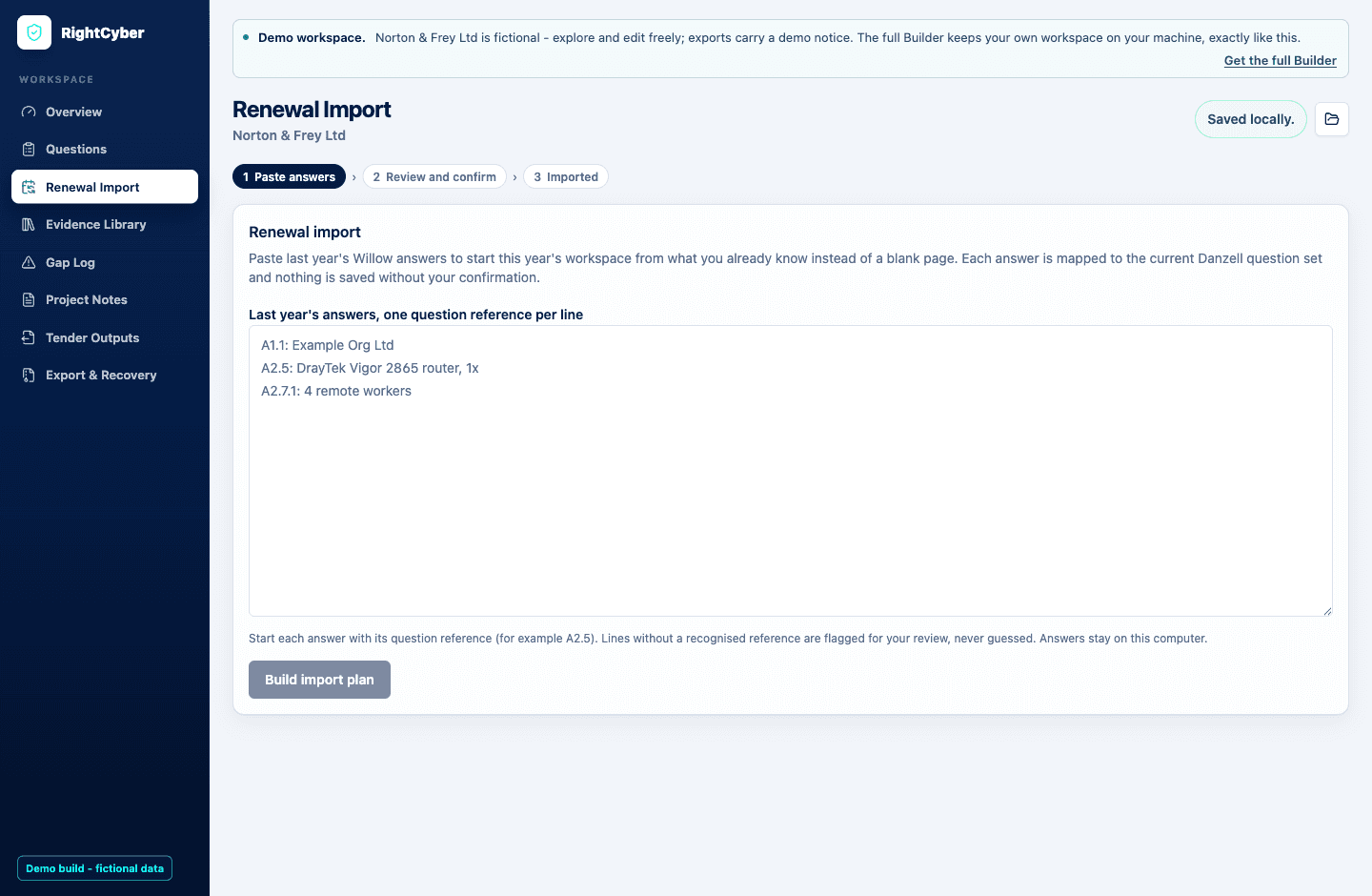
Renewal Import
Paste last year's Willow answers and the Builder maps every one onto the current Danzell question set — built from a document-by-document comparison of both official IASME question sets. 62 questions carry unchanged in substance, 18 moved number, and the ones where the meaning changed arrive with a warning and the reason, like the insurance question that silently flipped from opt-out to opt-in.
Nothing enters your workspace without a confirmation tick, questions you have already answered this year are never overwritten, and every imported answer carries a dated provenance note.
Questions workbench
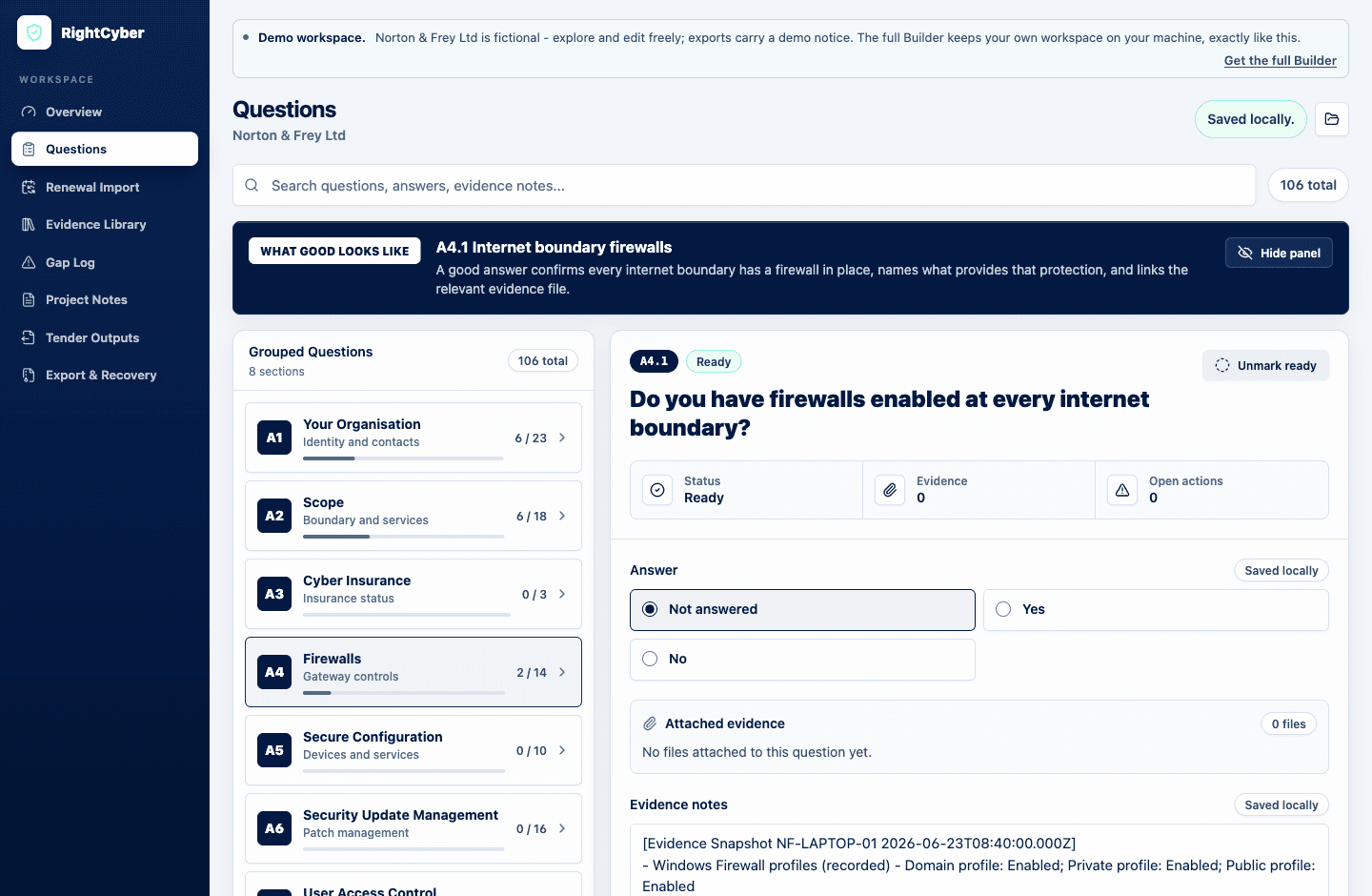
The full 2026 question set — verified against the official IASME document — grouped by section, searchable, with plain-English guidance beside every answer. Attach evidence files and screenshots, keep evidence notes with dates, and record uncertainty as gaps instead of guessing.
Questions behind the scheme's automatic-fail rules carry submission blocker warnings, so the answers that can sink a submission are impossible to treat casually.
Evidence Snapshot
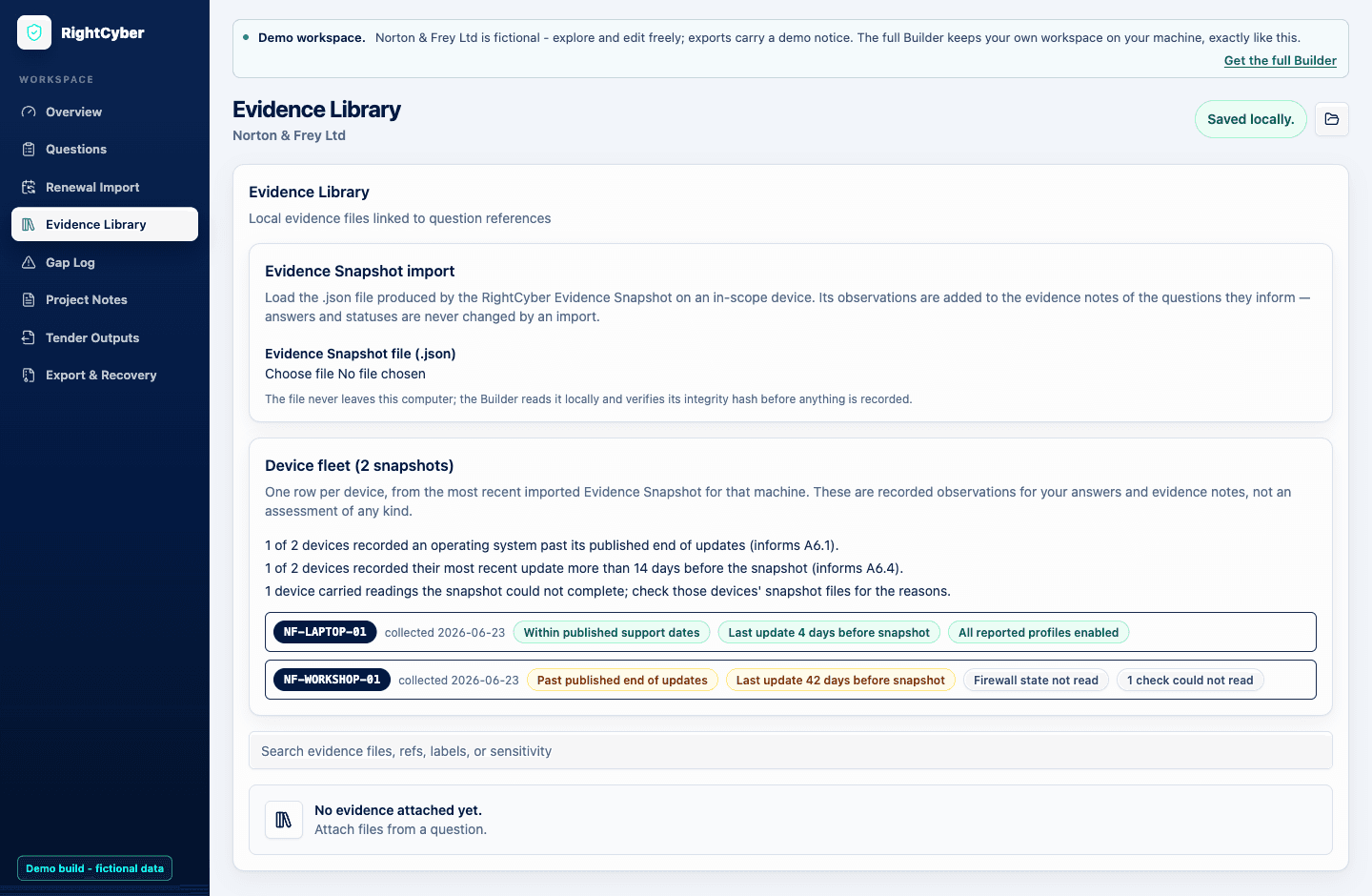
A point-in-time, read-only check you run on each in-scope Windows machine: operating system support status against Microsoft's published lifecycle dates, update recency for the 14-day questions, firewall profiles, local accounts, installed software, and lock settings. No installer, no agent, no network calls — the results are written to a file on that machine and nowhere else.
Import the file into the Builder and the observations attach to the questions they inform, machine-stamped and dated. The fleet view rolls it up across every device — and anything a check could not read says so honestly instead of guessing.
The Windows collector is in final release validation; artefact import and the fleet view ship in the Builder today.
Tender Outputs
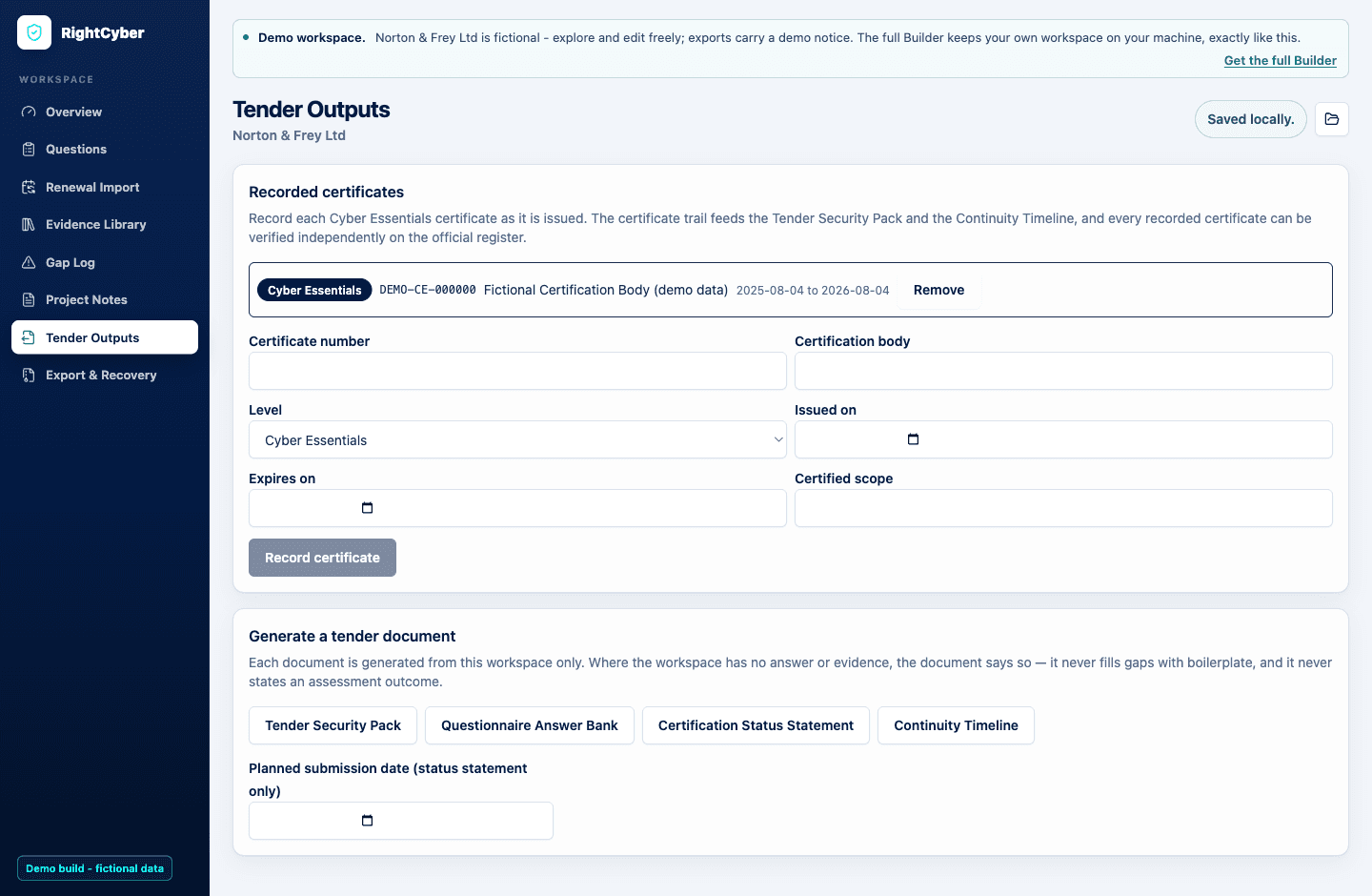
UK government buyers must require Cyber Essentials on in-scope contracts under PPN 014, and private supply chains copy the same wording. The Builder generates the Tender Security Pack, a questionnaire answer bank, a certification status statement, and a continuity timeline — every sentence traceable to your stored answers and evidence, with the official certificate register linked so buyers can verify independently.
Export as Markdown, styled HTML, or Word document. Where your workspace has no answer yet, the document says so — it never fills gaps with boilerplate, and it never states an assessment outcome.
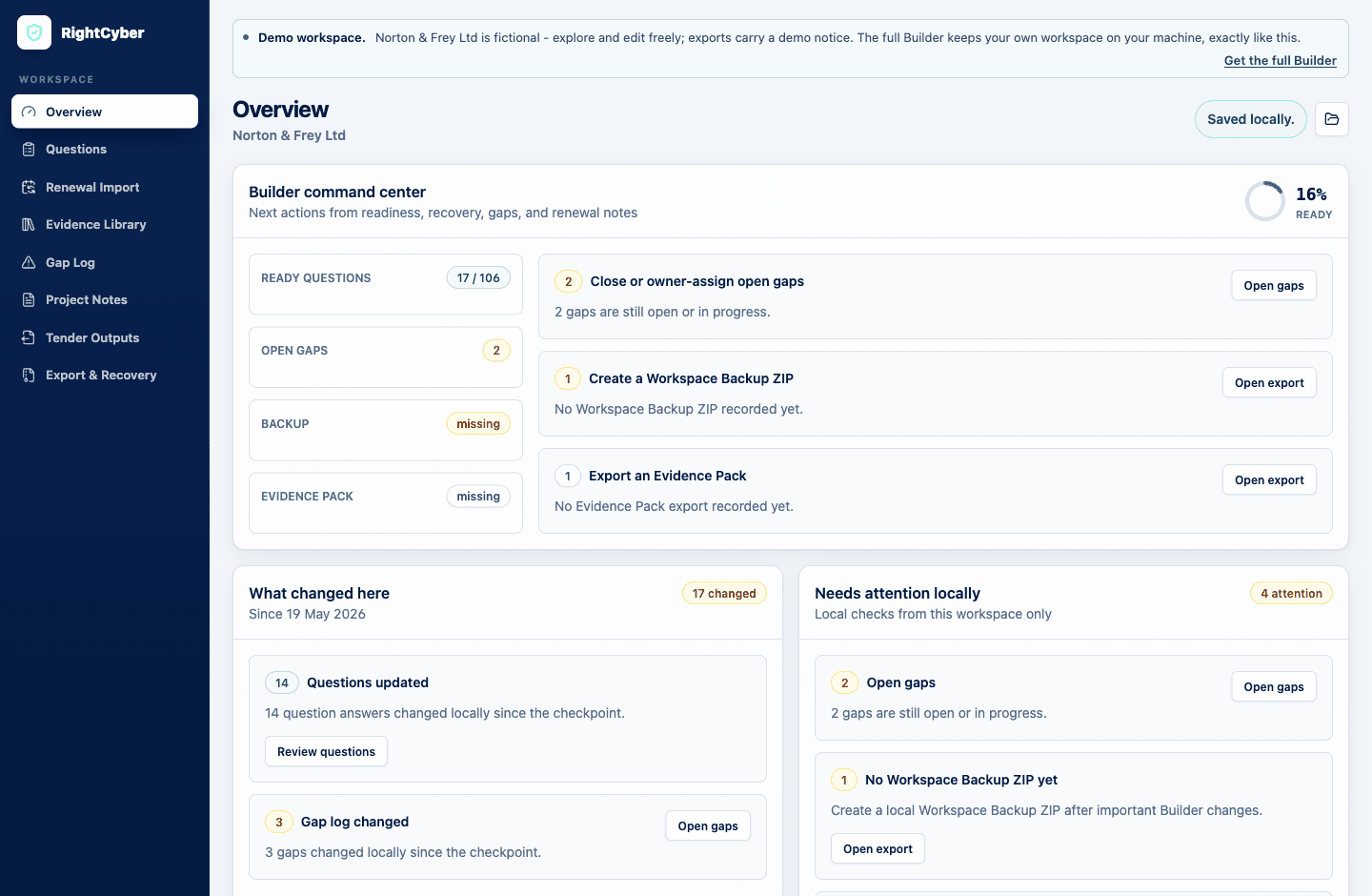
Your annual operating record
The overview turns the workspace into next actions: how many questions are ready, which gaps are open and who owns them, when to take a Workspace Backup, and what changed since your last checkpoint. At renewal, you open last year's workspace and update what changed instead of starting from a blank page.
Everything lives in ordinary files on your machine: answers, evidence, gap log, certificate history, Evidence Pack ZIPs for assessment time, and Workspace Backups for recovery. The website stores access and mission progress only — it cannot read your answers, and neither can we.
For consultants
Switch between isolated local client workspaces, with device-seat licensing and portfolio summaries across your book.
Your practice name on every generated document; the RightCyber attribution line is removable on Growth and Practice bands.
Scoping scripts, gap analysis reports, kickoff one-pagers, and statements of work for repeatable engagements.
Annual access includes the guided missions, the desktop Builder, templates, and updates as the scheme changes — £149 for the first year, then £50/year. The trust page explains exactly what stays on your machine.